

Today, we are excited to introduce Ubicloud Machine Images (UMIs)! UMIs let you capture the disk of a configured VM and use it to create new VMs.
Many workloads need more than a clean operating system. Before a VM is useful, you may need to install packages, deploy an application, and configure monitoring. Repeating those steps for every new VM slows down launches and can produce differences between machines.
With machine images, you perform that setup once. Configure a VM, stop it, and capture its disk as an immutable image version. Future VMs can then start from the captured state.
Machine images are useful whenever you need to launch multiple VMs with the same preconfigured environment. You might use one to package an application server with its dependencies, create standardized development or CI environments, launch prebuilt sandboxes for AI agents and other ephemeral workloads, or keep a known-good system image for quickly recreating a workload. Instead of repeating setup on every VM, you can prepare and test the environment once, then launch new VMs directly from that image.
A managed database service is a good example of this pattern. Ubicloud operates a managed database service where each database runs on an isolated VM. Every VM needs the same database packages, backup tooling, monitoring, and platform configuration before it can serve a customer.
This common environment is effectively a versioned release artifact. Instead of rebuilding it whenever a customer creates a database, the company prepares and validates it once, then captures it as a machine image version, like db-service@v1.
When a customer creates a database, the control plane launches a VM from this image. Most of the preparation is already complete. First boot only needs to apply instance-specific configuration, such as credentials and backup settings, start the services and run health checks.
Every new database therefore starts from the same tested foundation without repeating the complete image-building process.
When Ubicloud updates the operating system, database packages, backup tooling, or monitoring agents, we prepare and validate a new image version: db-service@v2.
Once v2 finishes capturing, it becomes the image's latest version, so new VMs created from db-service@latest pick it up automatically. v1 remains unchanged and can still be requested by label to reproduce earlier deployments.
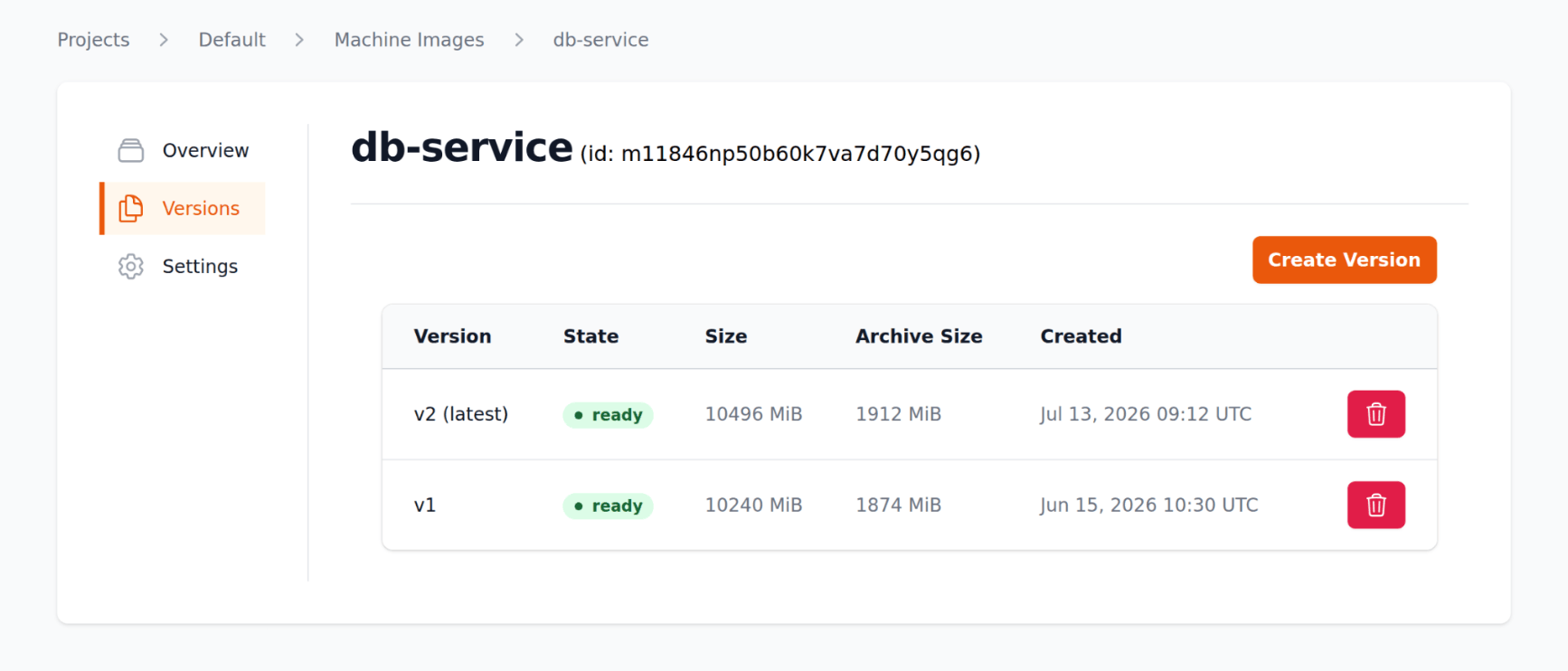
If any issues arise with db-service@v2, we can point db-service@latest back to db-service@v1. New VMs created from db-service@latest then use v1 again. Nothing has to be built or captured again.
Machine images are available today and you can start using them. You can create and manage them through the Ubicloud console, the CLI (ubi mi), or the API.
A few things to keep in mind when capturing a version: the source VM must be stopped and have a single disk of at most 40 GiB, and a VM created from the image needs a boot disk at least as large as the captured disk. Because the new VM inherits everything on the source disk, generalize the source VM before capturing it.
Machine images are billed according to the physical storage used by their archives. We omit unused disk regions and compress the remaining data, so the stored size can be significantly smaller than the source VM's disk. Machine images currently cost $0.15 per GiB per month.
See the machine images documentation to get started.


