Ubicloud Kubernetes
Private connection between a Kubernetes cluster and a Postgres database
The cluster networking page now lets you connect a Kubernetes cluster to a Ubicloud Postgres database in one step. Ubicloud handles the subnet connection and the firewall rules for you, so workloads running in the cluster can reach the database without manual network setup.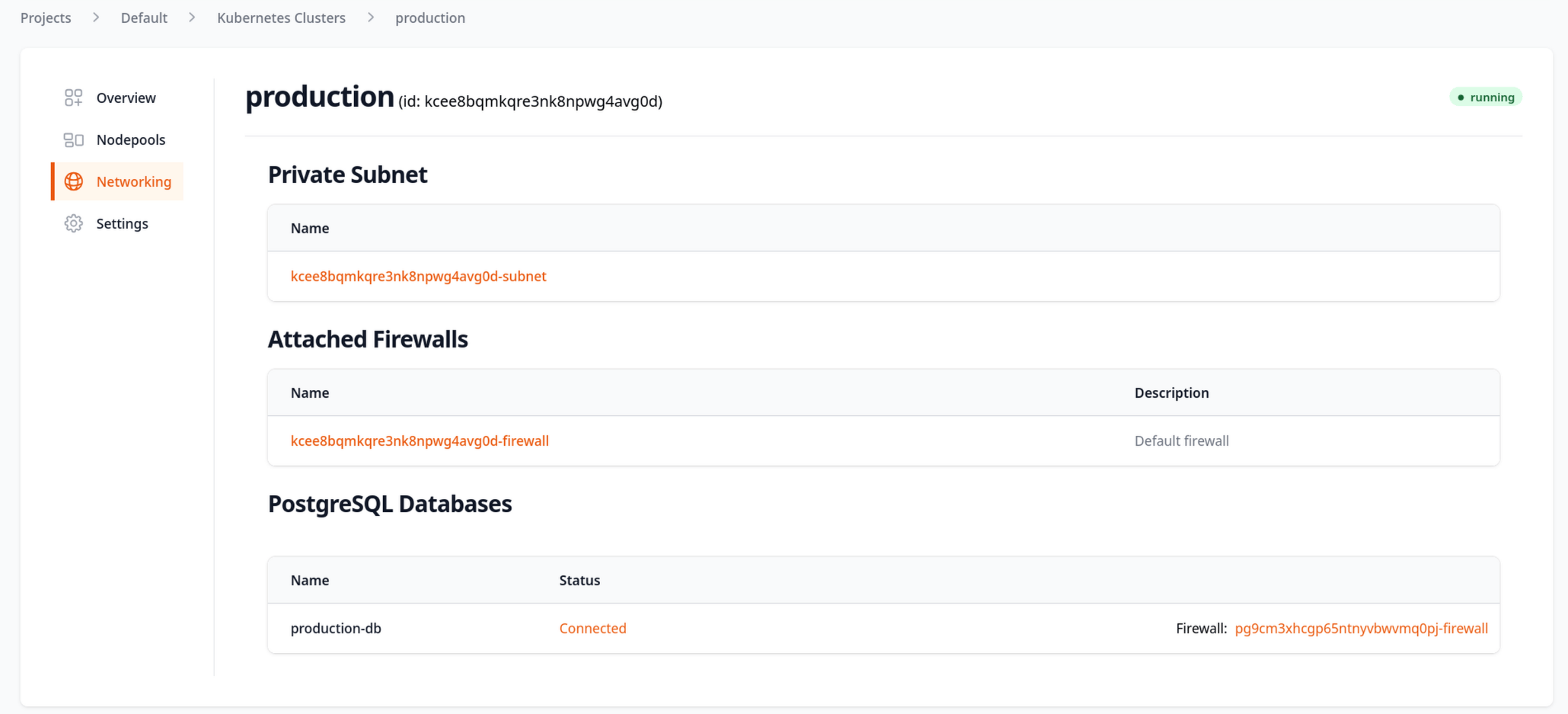
Nodepools are now first-class resources
You can now manage nodepools individually from the API, CLI, and web UI. Each nodepool carries its own Kubernetes version, and upgrades are decoupled: upgrading a cluster now upgrades only the control plane, and each nodepool is upgraded separately, one minor version at a time and never past the control plane. This matches the version-skew model used by other managed Kubernetes providers and lets you roll out node upgrades on your own schedule.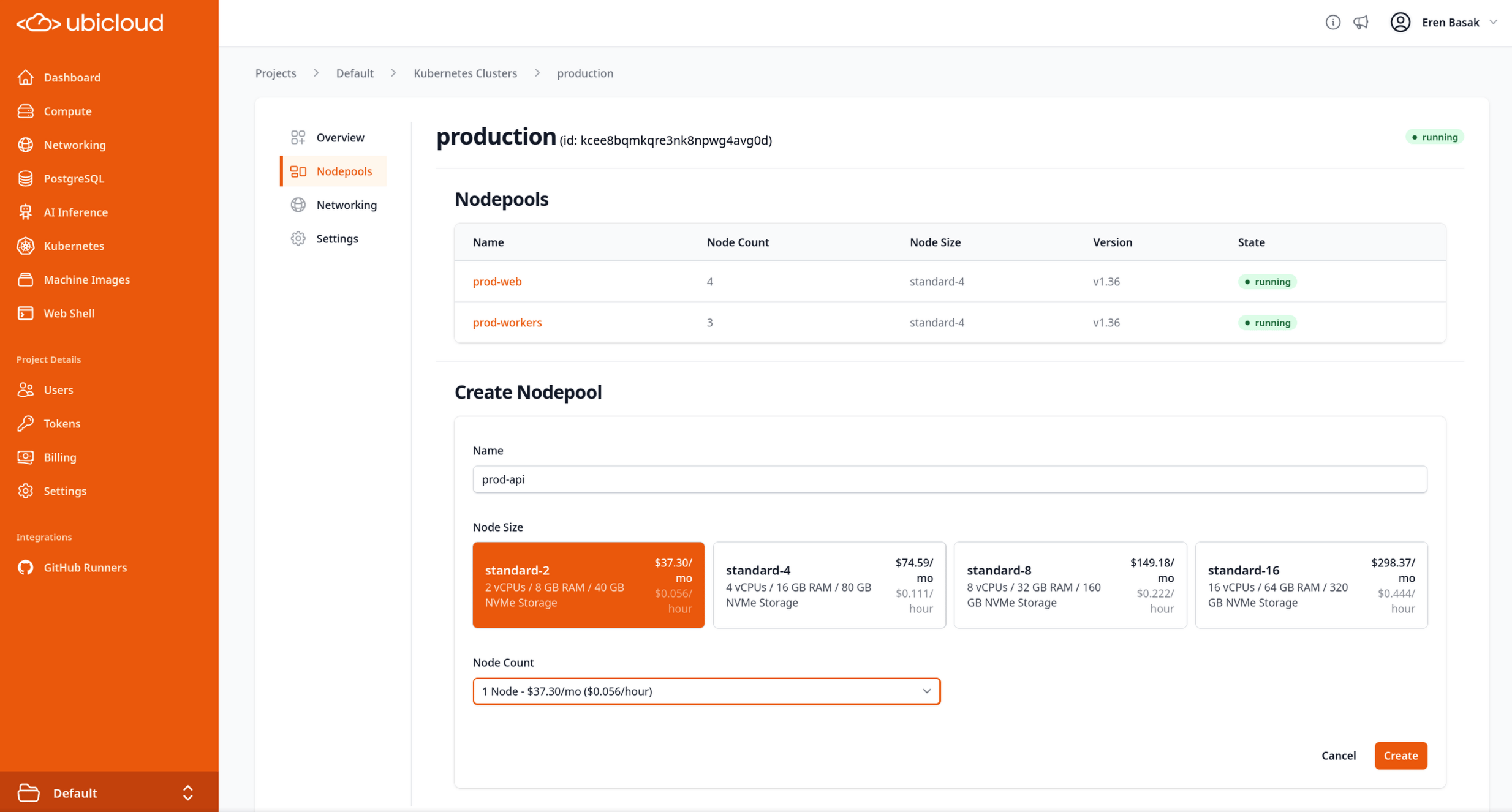
Individual node retirement
Kubernetes nodes are now grouped under their cluster in the console, and you can retire a node that is stuck in an unavailable state. Concurrent retire requests on the same nodepool are serialized, so two requests can no longer drain more nodes than intended.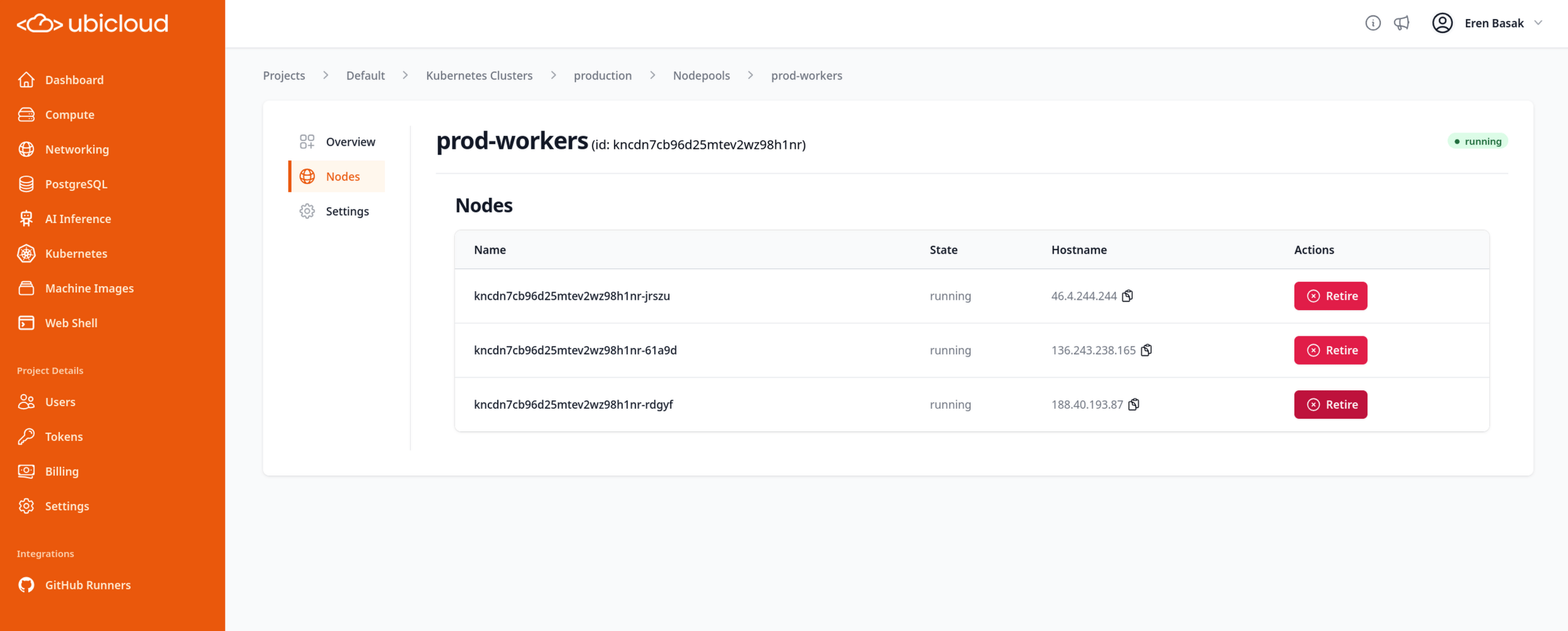
Improved persistent volume scheduling
The CSI driver now publishes and continuously updates storage capacity for each node, so the scheduler stops placing multiple persistent volume claims on a node that is running short on disk. In-flight reservations are tracked durably across provisioner restarts, and the capacity reserve percentage is configurable.Tighter default firewall for new clusters
New Kubernetes clusters no longer start with a wide-open customer firewall. The auto-created private subnet begins with no inbound rules, and external access is opened only for the Services you publish through a load balancer. Cluster-internal traffic is handled by firewalls attached directly to the node VMs.Managed PostgreSQL
Publicly signed certificates by default
New Postgres databases now use publicly signed wildcard certificates. Because these certificates chain to a public root, you no longer need to download and distribute a Ubicloud CA certificate to connect withsslmode=verify-full — connection strings use sslrootcert=system instead. The CA certificate download is hidden for databases that don’t have one, and a database stays in the running state while its public certificate is renewed rather than briefly appearing as creating.
Private DNS in the PostgreSQL console
If your Postgres subnet is connected to another subnet, the connection details in the console now show the database’s private DNS name. Applications running in the connected subnet can use that name instead of a private IP address.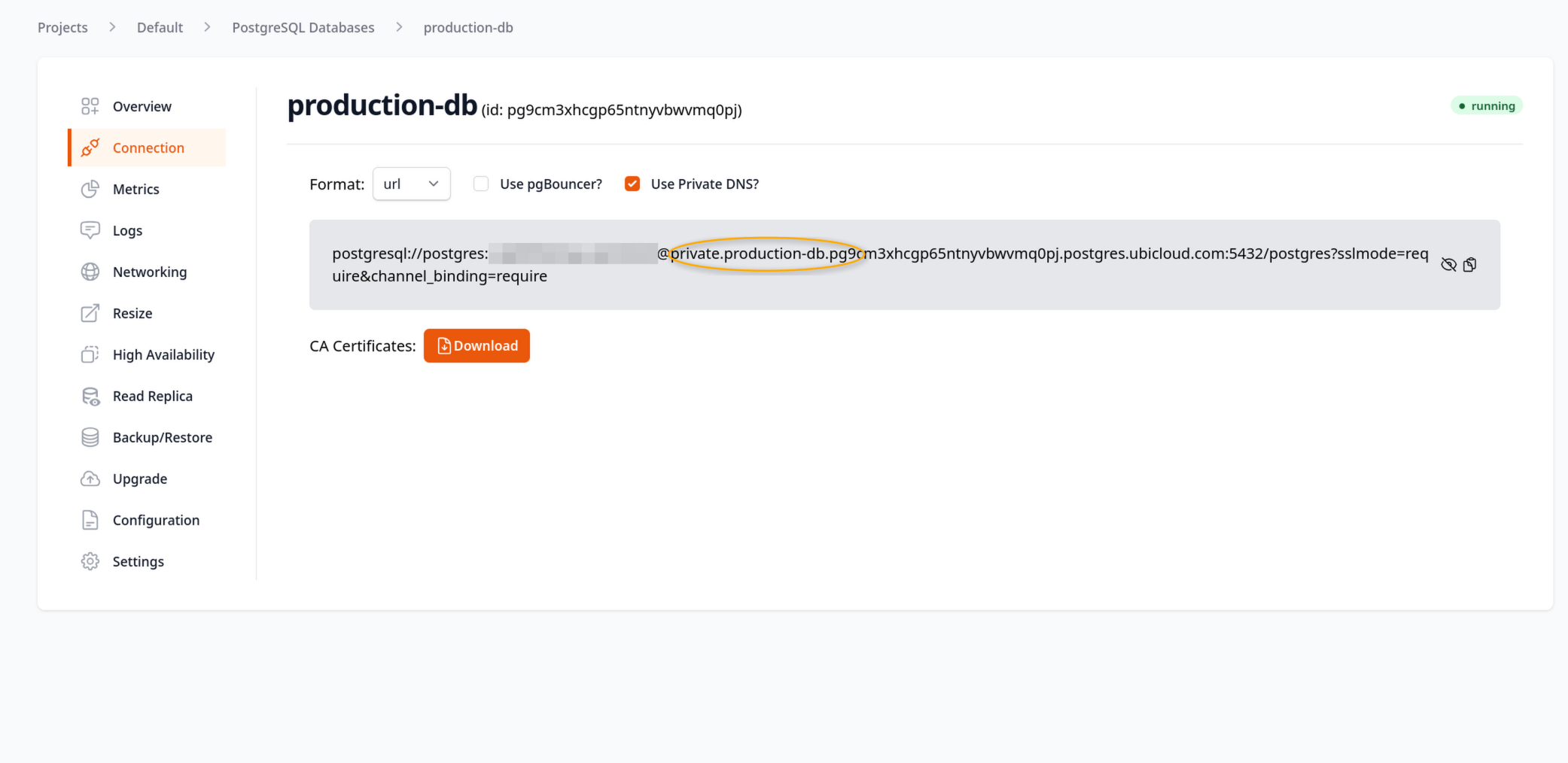
Faster backups and restores on large databases
Backup and restore settings are now tuned to the size of the database instance rather than using fixed defaults. Backups on large instances that previously took more than a day now finish well within their window, and crash recovery and restores start faster. Memory and CPU use during backups stay capped so that regular workload traffic isn’t affected.Metrics improvements
The metrics view for your databases has been refreshed, making the charts easier to read and compare over a time range.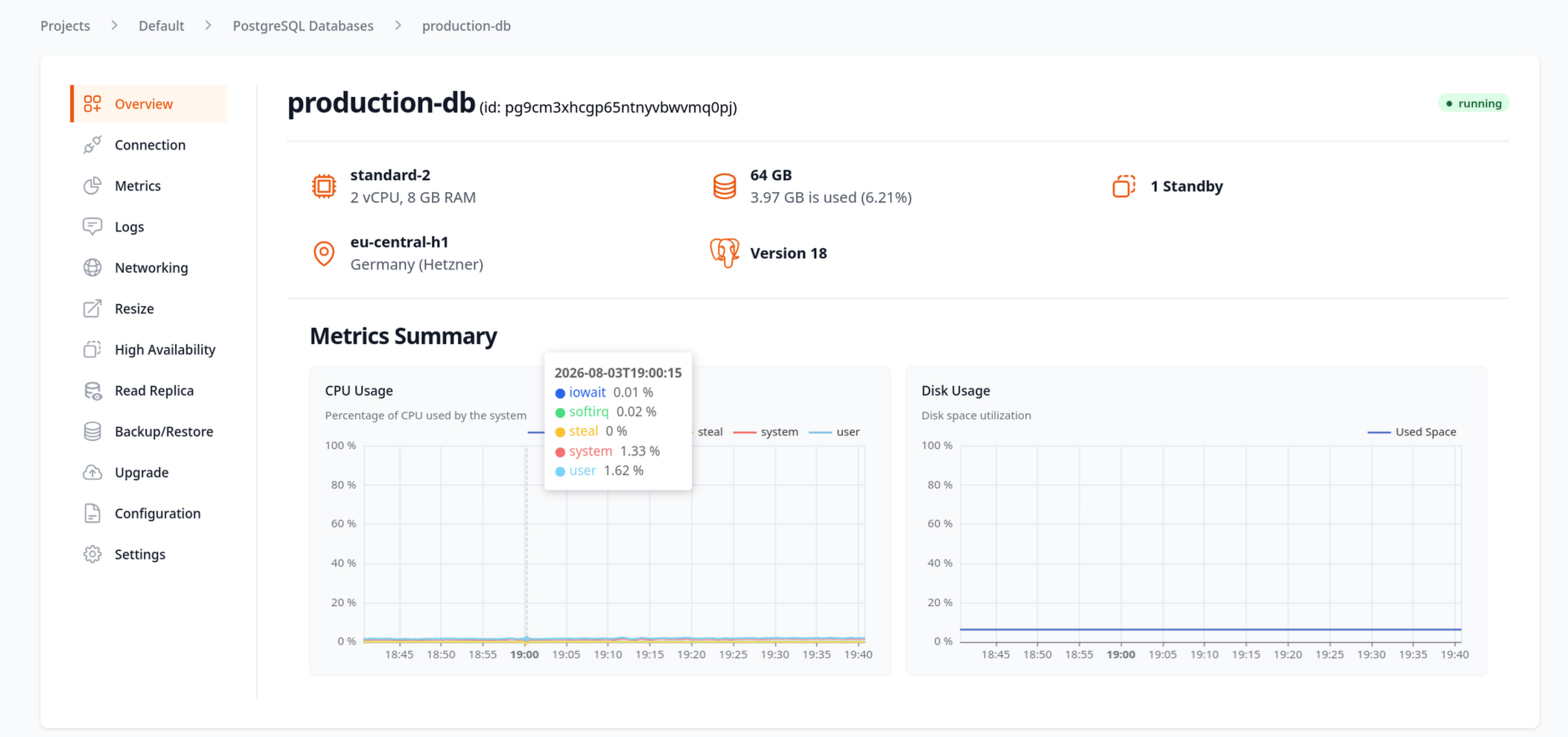
More PgBouncer settings
Additional PgBouncer configuration options are now available for Postgres databases, giving you more control over connection pooling behavior.Compute
Ubicloud Machine Images are generally available
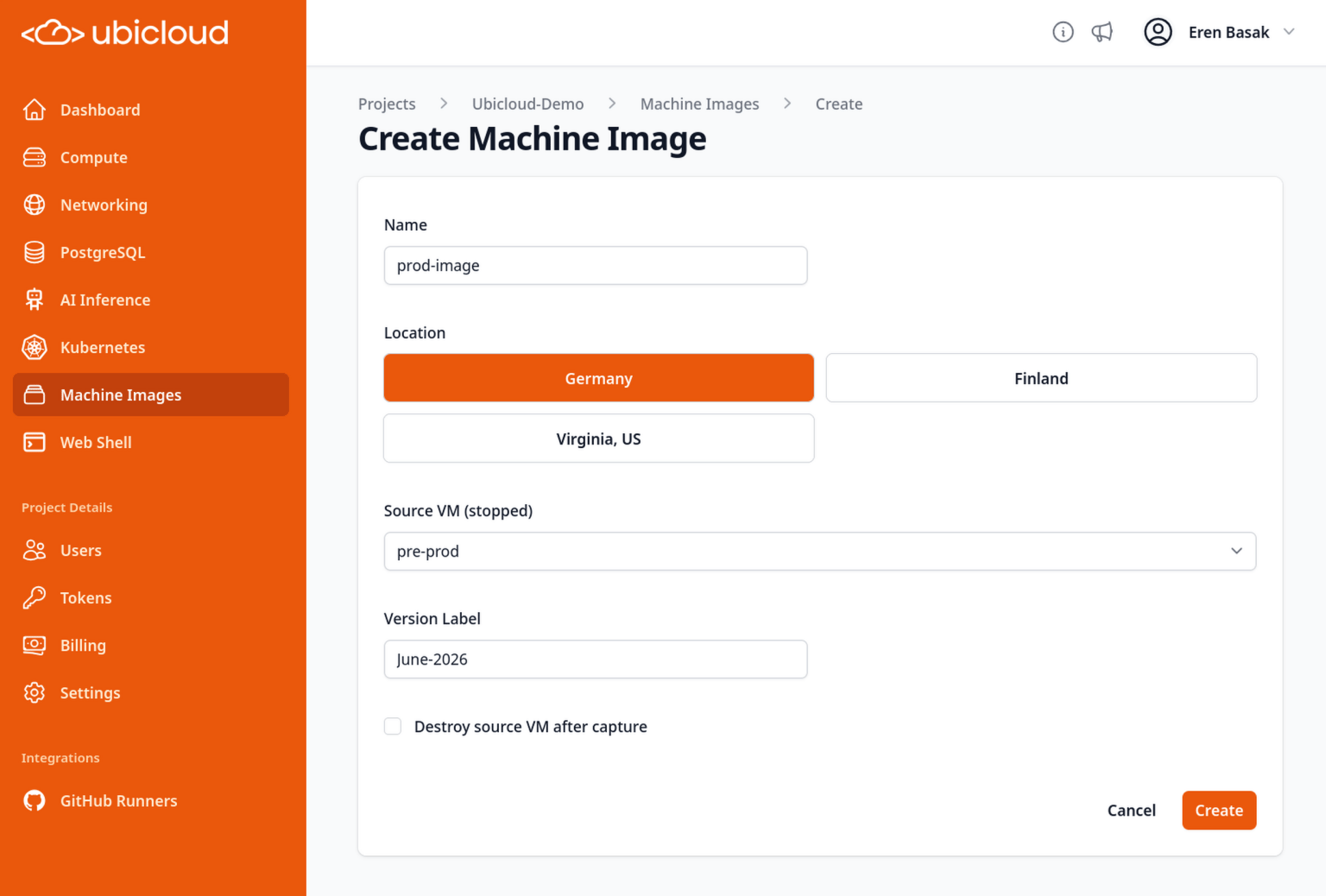
Ubicloud Machine Images are available to all projects. Create an image from a stopped VM, then boot new VMs from it by name and version through the console, API, or CLI. The console now shows the storage limit that applies to image creation, and picking a boot disk that’s too small for the selected image gives a clear, actionable error instead of a generic validation message.