> ## Documentation Index
> Fetch the complete documentation index at: https://ubicloud.com/docs/llms.txt
> Use this file to discover all available pages before exploring further.
# Resize Your Cluster
You can resize your Kubernetes cluster at any time to meet changing workload demands, improve resource utilization, or reduce infrastructure costs. Resizing your Kubernetes cluster changes the number of nodes in your worker node pool by adding or removing nodes. This can be done through the web interface, CLI, or API.
## See the Current Size of Your Cluster
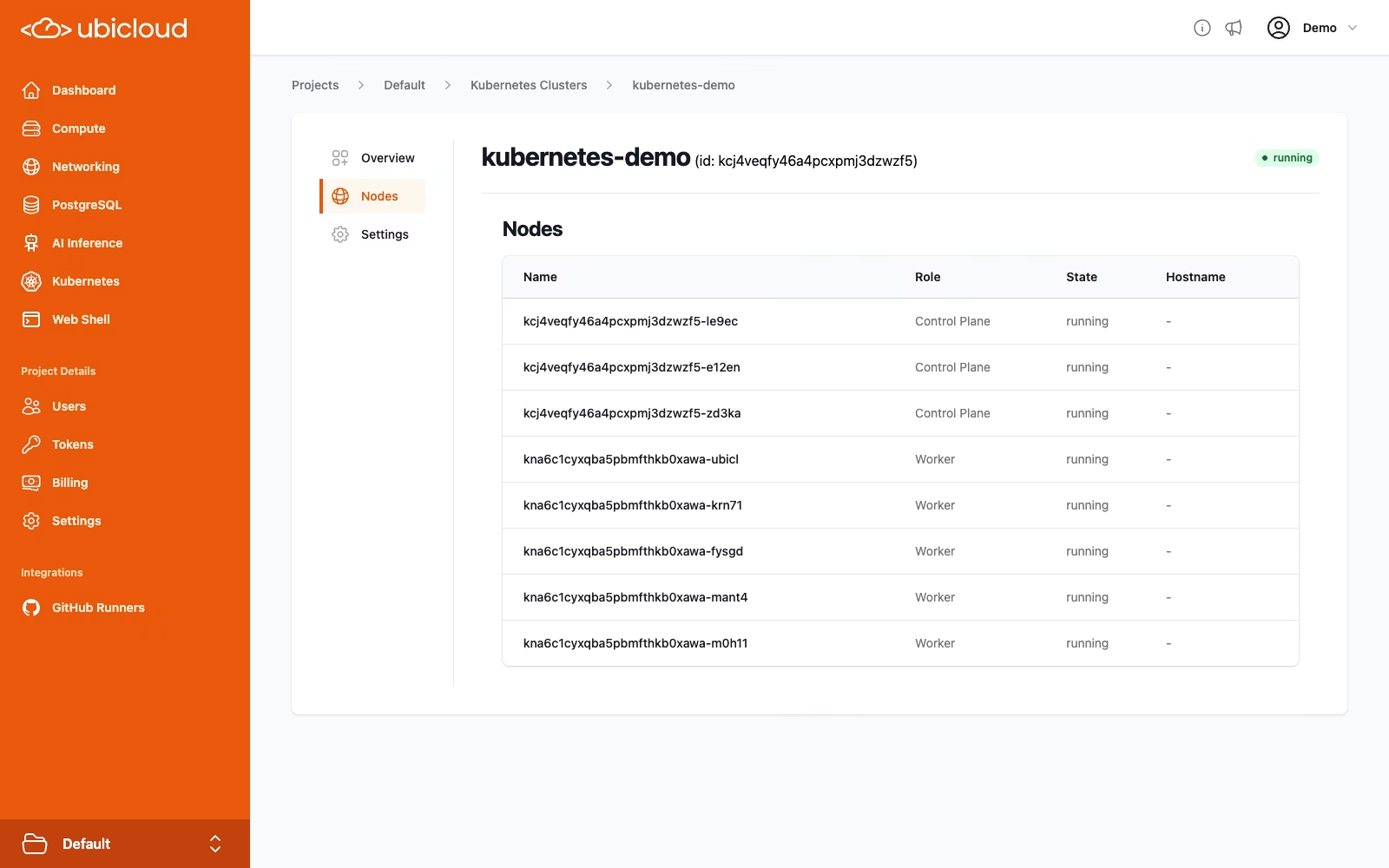
You can see the set size of your cluster in the **Overview** tab of your cluster's page and details of your nodes in the **Nodes** tab.
 ## Resize via Web Interface
1. Navigate to the Kubernetes page in the [Ubicloud Console](https://console.ubicloud.com).
2. Click on the name of the cluster you want to resize.
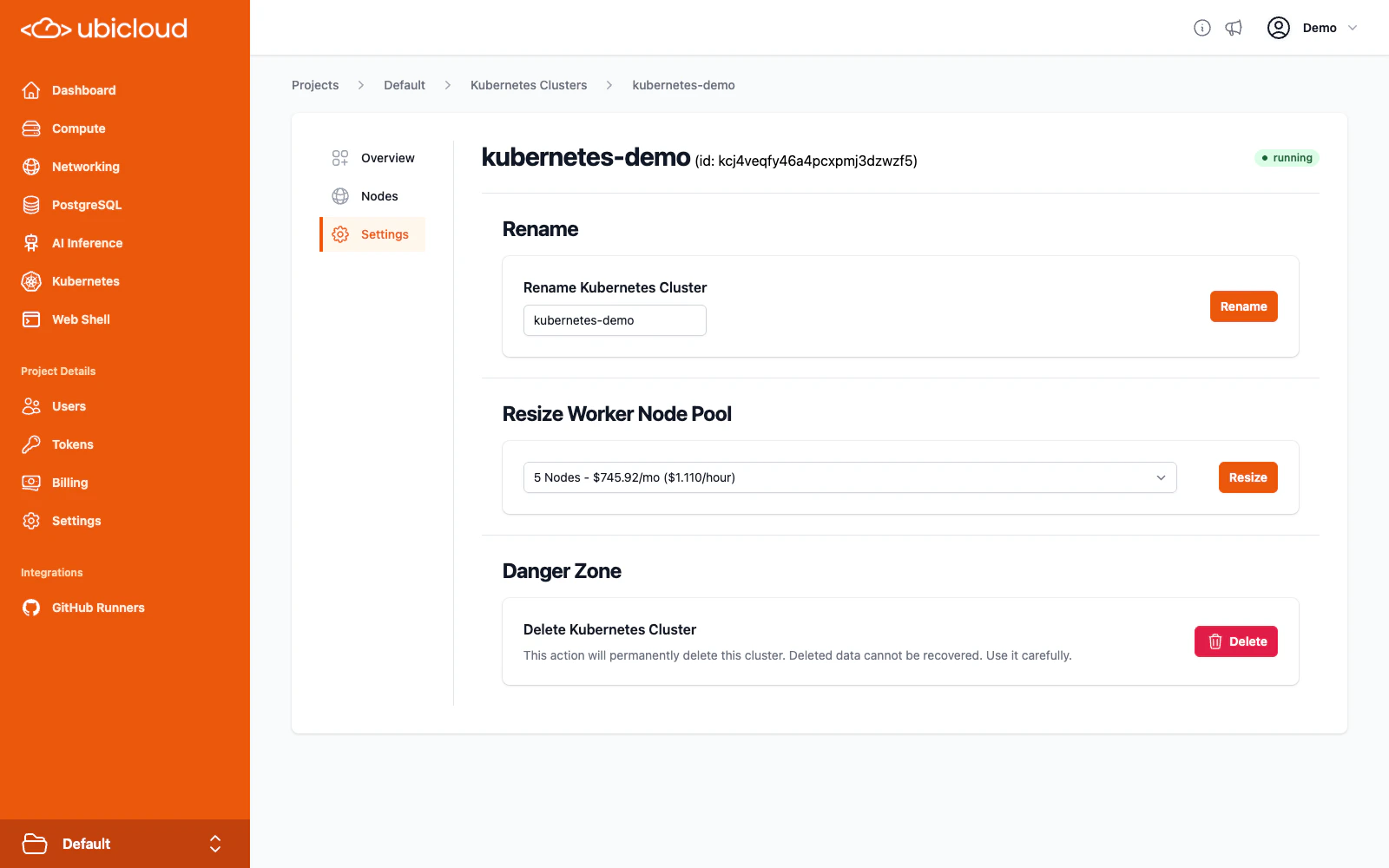
3. Click the **Settings** tab.
4. In the **Resize Worker Node Pool** section, select the desired number of nodes and click the **Resize** button.
## Resize via Web Interface
1. Navigate to the Kubernetes page in the [Ubicloud Console](https://console.ubicloud.com).
2. Click on the name of the cluster you want to resize.
3. Click the **Settings** tab.
4. In the **Resize Worker Node Pool** section, select the desired number of nodes and click the **Resize** button.
 ## Resize via CLI
You can also resize your cluster using the [`ubi`](https://www.ubicloud.com/docs/quick-start/cli) CLI tool with the `resize-nodepool` command:
```bash theme={null}
ubi kc (location/kc-name | kc-id) resize-nodepool (np-name | np-id) node-count
```
## Resize via API
To resize your cluster using the API, send a `POST` request to the `kubernetes-cluster/{cluster_ref}/nodepool/{nodepool_ref}/resize` endpoint with the desired number of nodes in the request body:
```http theme={null}
POST https://api.ubicloud.com/project/{project_id}/location/{location}/kubernetes-cluster/{kubernetes_cluster_reference}/nodepool/{kubernetes_nodepool_reference}/resize
Content-Type: application/json
{
"node_count":
}
```
You can find more information in the API documentation: [Change number of nodes of a Kubernetes Nodepool](https://www.ubicloud.com/docs/api-reference/kubernetes-cluster/change-number-of-nodes-of-a-kubernetes-nodepool).
## Resize via CLI
You can also resize your cluster using the [`ubi`](https://www.ubicloud.com/docs/quick-start/cli) CLI tool with the `resize-nodepool` command:
```bash theme={null}
ubi kc (location/kc-name | kc-id) resize-nodepool (np-name | np-id) node-count
```
## Resize via API
To resize your cluster using the API, send a `POST` request to the `kubernetes-cluster/{cluster_ref}/nodepool/{nodepool_ref}/resize` endpoint with the desired number of nodes in the request body:
```http theme={null}
POST https://api.ubicloud.com/project/{project_id}/location/{location}/kubernetes-cluster/{kubernetes_cluster_reference}/nodepool/{kubernetes_nodepool_reference}/resize
Content-Type: application/json
{
"node_count":
}
```
You can find more information in the API documentation: [Change number of nodes of a Kubernetes Nodepool](https://www.ubicloud.com/docs/api-reference/kubernetes-cluster/change-number-of-nodes-of-a-kubernetes-nodepool).